The Weather App That Became a Small AI Art Pipeline
I got a TRMNL a few weeks ago and immediately wanted to make little displays for my kids.
My wife and I are careful about introducing them to AI. They are 2 and 5. In a house that cares about art and making things by hand, a prompt box would become "Papa, make <insert_thing>" before the chair was warm.
This felt different. Slow output. Delayed gratification. A tiny screen on a shelf. I could use the latest image droids, and they could get a weather picture.
The idea was a weather app with kid-readable characters. Dragons first, because my 5-year-old loves dragons.
Instead of leading with numbers, the display would show a character dressed for the day. Rain gear. Snow. Heat. Fog. There would still be an adult-readable forecast, but the main thing would be the picture.
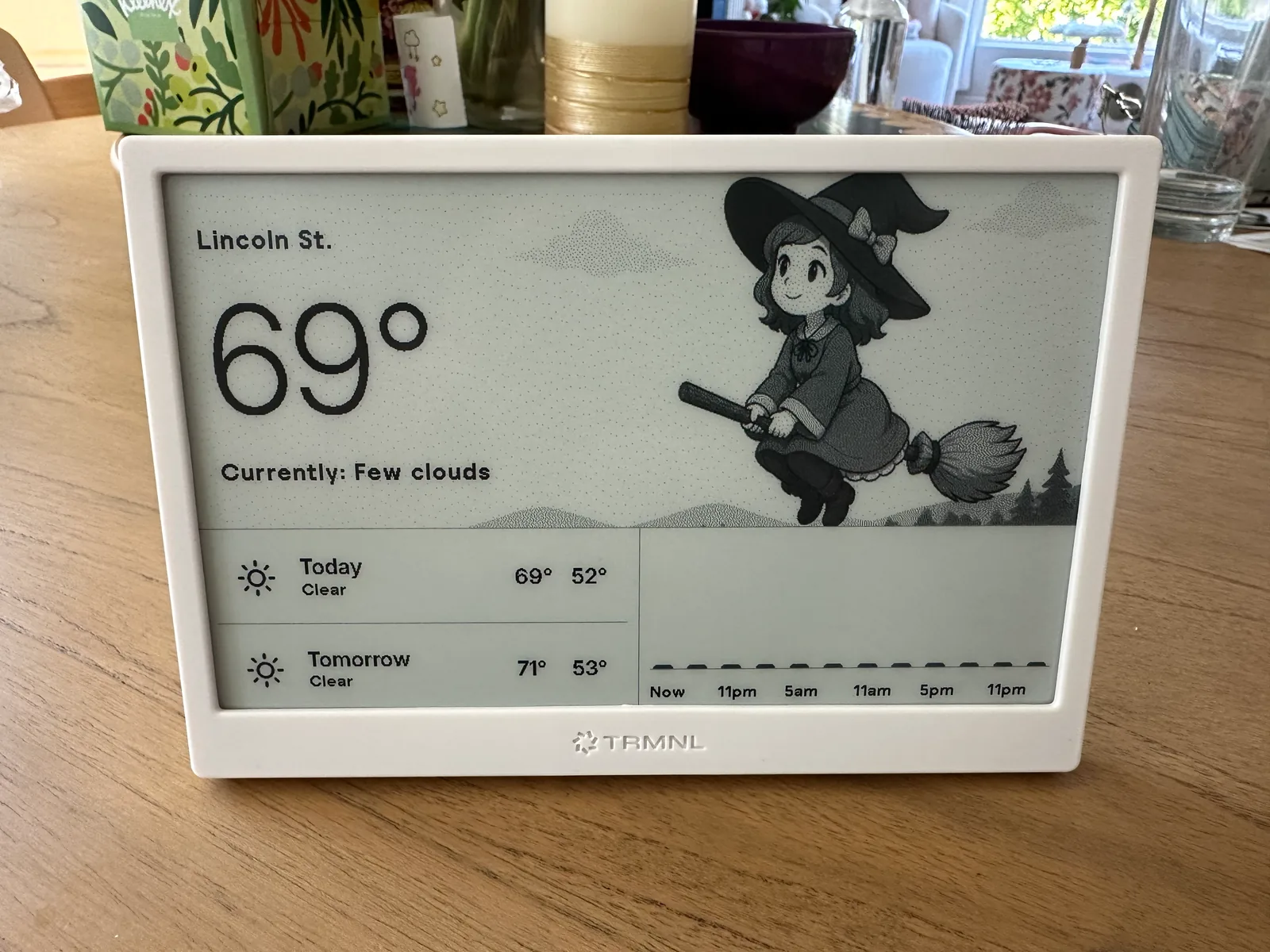
The fun part was obvious immediately: use GPT Image 2 to generate the character art.
The less obvious part was that "generate a cute dragon(?) character" is not a product spec. It is barely even a prompt.
The first versions had charm. They also had artifacts, grayscale mush, and dragons related only by the legal minimum of wings.
That is where the project became interesting.
TRMNL is a small e-ink display with 2-bit grayscale. Gradients and color-based detail turn into banding. The screen is honest like that.
The display pushed the prompt away from "make a nice picture" and toward something more like a production note:
- strong black linework
- sparse gray fills
- big readable shapes
- no tiny texture
- no text, signs, labels, glyphs, or fake UI
- high contrast after dithering
- a clean region where weather text can sit
- clothing and weather cues that survive a 2-bit treatment
That last point mattered. I was not prompting for a normal illustration. I was prompting for the thing after it had been crushed down to a tiny grayscale screen.
The prompt stopped being decorative. It became art direction, print-production note, and accessibility constraint in a trench coat.
Instead of:
draw a cute dragon in rainy weatherthe useful prompt shape was closer to:
Make a grayscale storybook-comic weather scene for non-backlit e-ink.
Use large readable shapes, black linework, sparse gray fills, and strong
contrast after 2-bit dithering. Preserve a calm text-safe area on the
left. Put the full character and visible weather action on the right.
Rain must be visible in the environment, not only implied by clothing.
No text, signs, labels, panels, borders, UI, logos, or dense texture.
That sounds fussy because it needed to be fussy. I was going to be generating a lot of images.
For each of the 24 characters, there are 10 weather conditions, 4 temperature ranges, and day/night variations. That is 1,920 final PNGs before retries, rejects, and prompt iterations.
Image models are happy to satisfy the emotional intent while missing the production intent. "Rainy" might mean a character holding an umbrella in a dry scene. "Kid-readable" might mean baby props. "Grayscale" might mean beautiful fog that turns into soup after dithering.
I had to learn to prompt for the thing after the next transformation, not just the thing the model returns.
That was the core loop:
- Generate.
- Inspect.
- Notice what failed after sizing, cropping, and grayscale treatment.
- Tighten the prompt.
- Regenerate.
The cost was low enough to change my behavior. A failed generation was not a tragedy. It was a few cents. So far, including experiments and regeneration, I spent under $60 on GPT Image 2. I was definitely not being careful. A full generation would cost around $25.
One useful optimization was generating day and night together. The model returns one paired source sheet: day on top, night on bottom. The postprocessor splits it into two final PNGs.
That helped twice.
It made the character more consistent because both times of day came from the same generation pass. Same pose family. Same clothing logic. Same scene structure. It also helped the bill because one source image became two display assets.
I also tried CLAHE, Contrast Limited Adaptive Histogram Equalization, to rescue barely legible nighttime details after preprocessing.
It did rescue some details. It also introduced banding and little dither islands. Technically interesting, but not an improvement.
The other half of the project was agentic coding.
TRMNL has a UI-based deployment model. It is intuitive, which is good. It is also clunky when you are iterating quickly, which is less good. I did not want to click through a dashboard every time I changed layout, prompts, asset paths, or weather rendering.
So I moved the loop into code. The agents helped build the local generator, plugin HTML, tests, asset paths, and docs around it. TRMNL stayed the target display. The repo became the workshop.
That made the project feel sane. The image model handled visual candidates. The coding agents handled the boring glue. I got to keep steering.
At first, one character was enough. A dragon can carry a lot of charm.
Then I added more characters.
That is when consistency became the real problem.
One generated dragon in one weather scene can look good. Twenty-four characters across day, night, rain, fog, snow, hot, cold, and everything in between is different work. Prompt packets help, but they do not make an image model preserve identity across hundreds of outputs.
The failure mode was not dramatic. It was worse: it was subtle.
A character would keep the same broad idea but lose the face. Or the silhouette. Or the clothing logic. Or the value map. One robot would start wearing human rain boots. One mascot would drift toward a different species. A cold-weather variant would hide the features that made the character recognizable.
So the project moved from "better prompts" into a reference workflow.
Each character needed a canonical reference sheet. The weather images needed to use that reference as the identity source. Regenerating the reference should invalidate old approvals. Approval needed to bind to the actual image bytes and the prompt hash, not just a filename sitting around looking official.
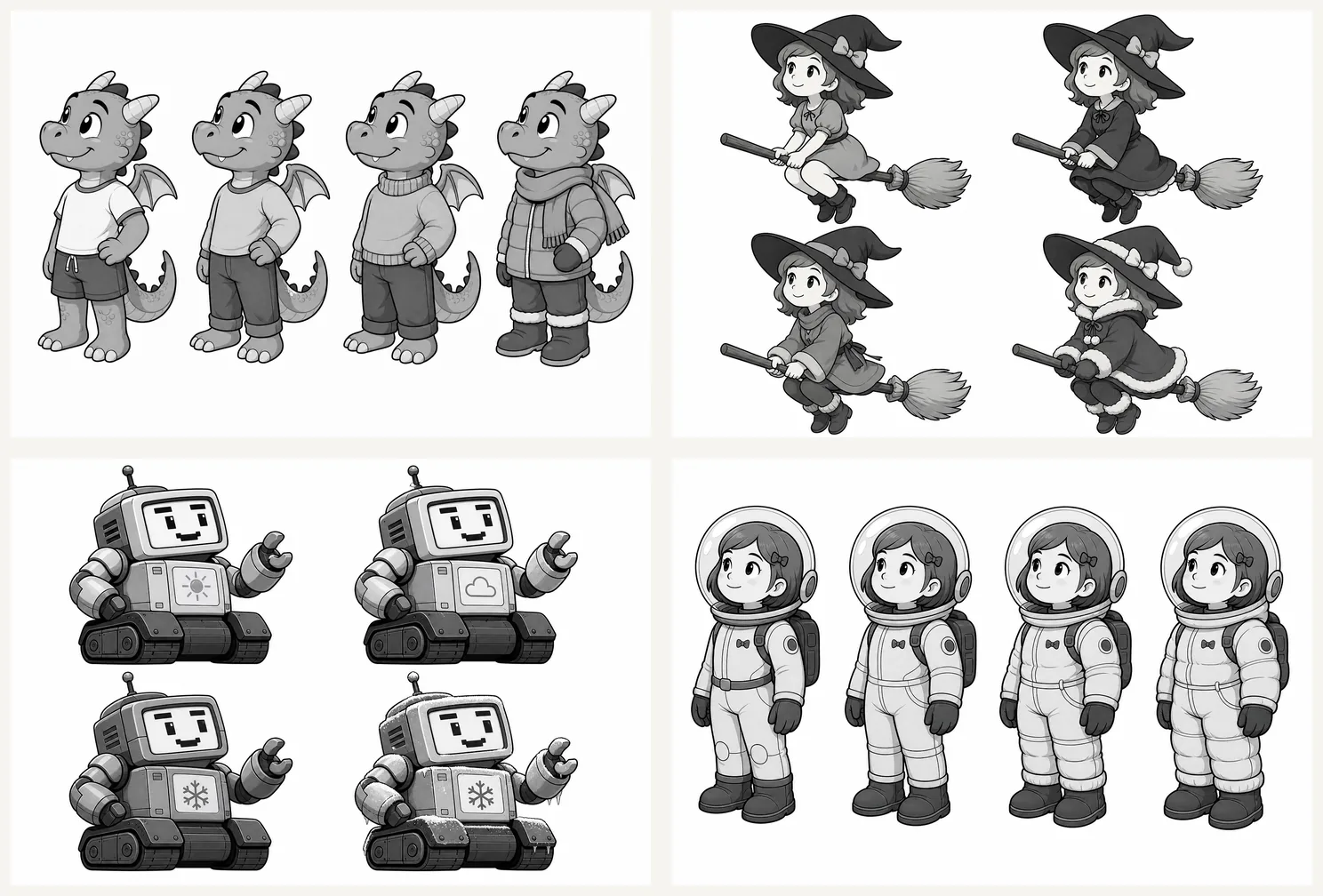
This sounds like overkill for a cute weather app until you look at a grid of generated characters and realize the variance breaks the familiarity with the character. After testing this for a few days, this was apparent. Plus, who doesn't like over-engineering a $0 ARR app?
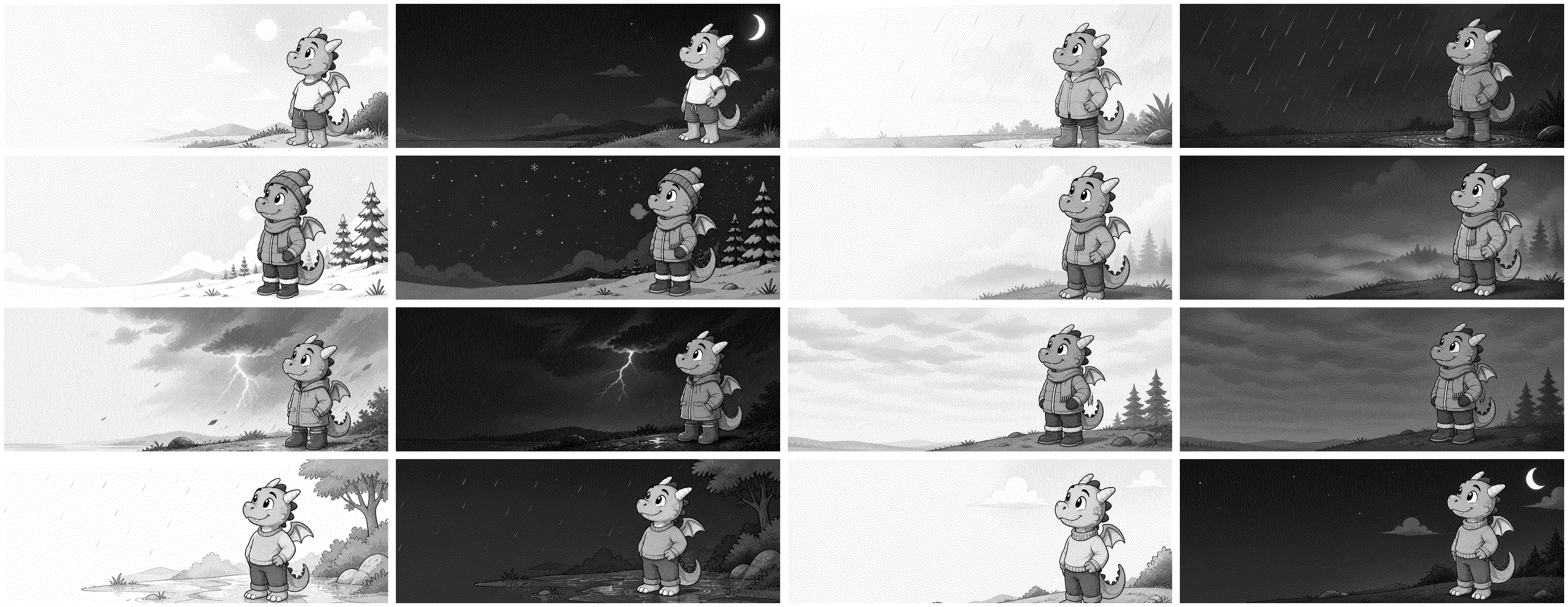
Without AI, this would not be possible to ship for me alone. It's also not economically viable as a pursuit. I did not need to hire an illustrator for a full production set before proving the concept. I did not need to wire every asset by hand through a deployment UI. I did not need to accept whatever the first model output gave me.
I could generate, critique, tighten, regenerate, and let agents turn that loop into something repeatable.
That is the part I keep coming back to.
Not because AI finishes products. It does not. The model gives you output. Then you still have to have taste. You still have to notice what is wrong. You still have to decide what matters.
The distance between "wouldn't it be nice if..." and "I can try that this weekend" got shorter. I like that.
P.S. Funny thing happened when I showed my 5-year-old daughter the character options. She didn't want a dragon. She wanted a witch riding on a broomstick.